
Best AI Image Generators 2026
21 Best AI image generators to supercharge your creative workflow
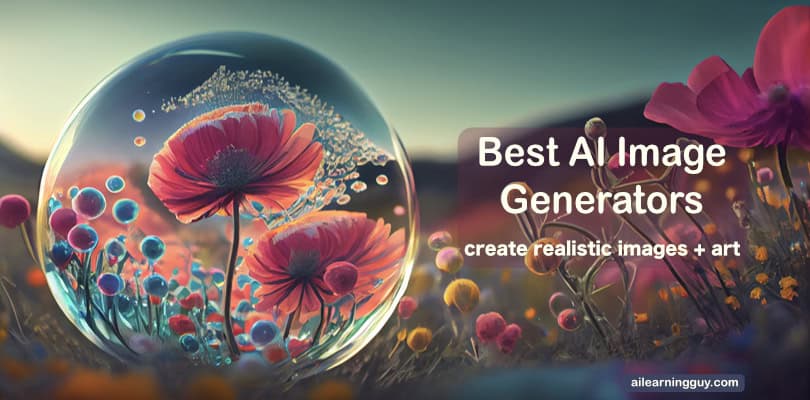
AI image generators have transformed into everyday tools for designers, marketers, and creators. And instead of remixing the past, today’s best platforms build genuinely new visuals by identifying relationships among text prompts, images, and millions of training patterns. Results now rival pro design, and output times have dropped from minutes to seconds.
Below is a list of the best AI image generators, along with a comprehensive overview of what each offers.
AI Image Generators – Overview
Translating intent, e.g., words, sketches, or image references into usable art is the real story.
And prompt engineering shapes everything to do so: want fast campaign assets or collaborative moodboards? A template-driven engine, such as Canva, Krea, or Freepik, fits. Want fine-grained brand images, character consistency, or novel illustration styles? Tools like Leonardo, Firefly, or OpenArt go deeper.
Some platforms (Firefly, Canva) offer model choice, so you can prioritize commercial safety, style control, or creative exploration. Others (Midjourney, Stable Diffusion) focus on depth and flexibility. And, if you want it all, multimodal tools blend text, image, or even voice for hands-on experimentation.
But not every user, or project, needs maximum control. Hence, before picking, ask:
- Who owns your images? (Freemium tools often claim training rights.)
- Are you working alone or as part of a team?
- Is your end goal quick content, brand consistency, or portfolio-level art?
- Do you want to create images for personal use only?
Once you see AI image generators as creative partners (not just apps) you’ll spot which strengths (collaboration, brand safety, photorealism, or rapid iteration) matter most for your next project. Let’s have a look.
Best AI Image Generators 2026 – Top Picks
| Gemini IMAGEN | ChatGPT Image 2 | Midjourney | Leonardo |
|---|---|---|---|
 |  |  |  |
| AI Image Generator | AI Image Generator | AI Photo Generator | AI Image Generator |
| ★★★★☆ | ★★★★☆ | ★★★★☆ | ★★★★☆ |
| View | View | View | View |
*Disclaimer: This post contains affiliate links. Read the full disclosure at the end of this post.
Note: This list highlights some of the best AI image generators based on deep-learning text-to-image models. Many other tools are available as alternatives to those featured here.
1. Google Imagen (Gemini) / Nano Banana Pro
Most people use Google’s AI image generator without ever realizing it. The company folded its flagship text-to-image generator directly into the Gemini ecosystem, and the newest engine driving that experience is Nano Banana Pro, built on Gemini 3 Pro Image.
The playful name hides a genuinely different approach. Nano Banana Pro leans on Gemini’s real-world knowledge and reasoning to interpret instructions correctly on the first try, supporting multi-turn editing when you need to refine a result step by step, which matters more than trend-driven flair when you’re producing client deliverables or editorial layouts.
The model handles text rendering cleanly for posters, diagrams, and product mockups, and it can translate or localize that text for different markets. It also maintains character consistency across up to five people and up to fourteen objects in a single workflow, so a campaign can reuse the same face or product across multiple scenes without starting from scratch each time.
That reasoning step comes at a cost, though. Nano Banana Pro runs noticeably slower than simpler models, especially when you’re generating dozens of quick variations for a mood board rather than a single polished final image.
Alongside Nano Banana Pro, the original Imagen 4 text-to-image models remain available through the API in three tiers: Ultra for complex composites, Fast for high-volume batches, and Standard for everyday work. Every image, from either model, carries a hidden SynthID watermark for provenance tracking.
Free tinkering is available through Google AI Studio, while production workflows move to the paid API, which is priced per image by resolution. Adobe’s Creative Cloud partnership still allows draft-image handoffs from Gemini-powered tools directly into Photoshop or Illustrator.
Platform: Web (Google AI Studio), API (Gemini)
Model: Gemini 3 Pro Image (Nano Banana Pro), Imagen 4 (Standard, Ultra, Fast)
Pricing: Free tier (daily limits). Paid API available. Nano Banana Pro from $0.13 per image.
Commercial Use: Allowed (paid tier)
Info: View website.
2. ChatGPT (GPT Image 2)
Conversational image editing became real when ChatGPT folded its AI image generator natively into chat threads. No more bouncing between tabs or clunky plug-ins.
Now the underlying engine is GPT Image 2, OpenAI’s newest AI image generator and the first to bring O-series reasoning to image generation, meaning it plans and reasons through a layout before rendering a single pixel.
That reasoning step shows up everywhere. Dense infographics and product labels now render with typographic precision. Multilingual signage, including Japanese, Korean, Chinese, Hindi, and Bengali, used to trip up nearly every AI text-to-image generator on the market.
Character and object continuity hold across up to eight distinct images generated from a single prompt, turning storyboard and campaign-set work into a single request rather than eight separate attempts.
The Editing process still happens through plain language, describing a change and watching the model apply it, and GPT Image 2 can also search the web in real time to keep visual details accurate for current events or specific technical references. Resolution scales up to 4K in beta through the API, with aspect ratios ranging from a wide 3:1 to a tall 1:3.
Again, as with Gemini, the trade-off is speed. This reasoning-first architecture prioritizes accuracy over rapid iteration, so quick throwaway variations take longer than they did with the old model.
GPT Image 2 replaced both GPT-Image-1 and DALL·E 3, which OpenAI retired in May 2026. It now serves as the default AI image model across ChatGPT and the API. C2PA content credentials still tag every image for licensing transparency.
Overall, this is one of the most popular AI image generators for those who already use ChatGPT daily and want an all-in-one workflow.
Platform: Web, Mobile (ChatGPT), API
Model: GPT Image 2 (gpt-image-2)
Pricing: Free tier (daily limits). Plus/Pro available
Commercial Use: Allowed (paid tiers)
Official Site: Visit website.
3. Midjourney
Artistic AI image generators live and die by community momentum, and Midjourney built its reputation through Discord channels where millions of users iterate publicly.
Midjourney’s V7, launched in 2025, featured a complete architectural rebuild and became the default text-to-image model that year. It brings better prompt understanding, improved hand and anatomy, and cleaner text rendering, which is handy for product mockups with logos that need to read correctly.
Midjourney is testing V8 and V8.1 on a separate alpha platform, refining HD mode to run three times faster and at lower cost while bringing back image prompts and image weights. These are useful for mood boards built from reference photos. V7 remains the default for most users, so alpha access means a still-evolving experience rather than a simple upgrade.
The current version’s Draft Mode generates images ten times faster at half the cost, handy for cranking out concept variations before a client call. Conversational editing lets you describe a change in plain language and watch the system automatically rewrite the prompt.
Personalization defaults to “on” in V7, but you unlock it through a five-minute ranking process that calibrates the model to your aesthetic preferences. This sounds convenient until you realize the system now interprets prompts through your personalized lens, which can help or hinder depending on whether you want consistency or variety across projects.
Character consistency improved with Omni Reference, which now covers objects and scenes as well as faces, so a product can appear across a dozen backgrounds without redesigning it. Upscaling and editing, however, still rely on V6.1 tools.
Four subscription tiers exist (Basic, Standard, Pro, Mega), with Relax Mode offering unlimited slower image generation on Standard and above. Companies earning over $1M annually must subscribe to Pro or Mega for commercial licensing.
Platform: Web, Discord, Alpha (V8/V8.1 testing)
Model: Midjourney V7 (default), V8.1 (alpha)
Pricing: Basic $10/mo, Standard $30/mo, Pro $60/mo
Commercial Use: Allowed
Info: Visit website.
4. Microsoft Copilot / Designer

Imagine an AI image generator baked into billions of Windows devices, always there, no account hoops, no learning curve.
Microsoft Copilot delivers this promise, now powered primarily by MAI-Image-2, its first fully in-house text-to-image model. DALL-E 3 still handles certain integrations across Copilot chat, the Designer web app, and Microsoft 365 apps.
Brand managers and content teams churning out fast visuals get the biggest win here. MAI-Image-2 now ranks among the top three text-to-image labs on the Arena.ai leaderboard.
It shows in the details, reflections, bounce light, scenic depth, and the kind of realism that once needed a much heavier model. A marketing team can get a believable product shot without waiting on a slower pipeline.
The text-to-image output handles headlines and simple signage well, though dense typography still trips things up occasionally. Furthermore, Content credentials tag every file with provenance, but clarity on commercial licensing still depends on your subscription tier.
You’ll also quickly encounter trade-offs. Most free users create a single image before daily limits shut the door, which is hardly inspiring for prompt engineering or iterative ideation. Unlimited image generation is unlocked only with a Copilot Pro subscription, which provides priority GPUs and the breathing room that creative professionals crave.
Yet the free/paid cutoff is vague, so “how much can I do before paying?” becomes a trial-and-error experiment.
Platform: Web (Designer), Windows/Mac (Copilot), Mobile, Microsoft 365 apps
Model: MAI-Image-2, DALL-E 3
Pricing: Free (daily limits). Microsoft 365 Premium $19.99/mo. 365 Copilot $21/mo.
Commercial Use: Clearer with paid tiers. Free tier remains a gray area
Info: Visit website.
5. DeeVid AI

What if an AI image generator didn’t stop once the image appeared? DeeVid AI takes a broader creative workflow approach, letting users move from text prompts to images, from reference images to consistent visuals, and from still images to editable creative assets without switching between several tools.
The platform supports text-to-image generation for photos, illustrations, product concepts, and stylized artwork. But say you already have a photo you like and just want to push it somewhere new. That’s what DeeVid’s image-to-image generation is for. It shifts the lighting, mood, or style while keeping the original structure recognizable, so you’re steering something that already exists rather than starting from a blank page.
And this is where things get genuinely useful for repeat work. Feed the platform one to five reference images, the cap, not unlimited, and it holds onto a specific pose, palette, character, or product look across everything you generate next.
Think of an e-commerce seller who needs the same handbag to look right in fifteen different settings, or a content team that can’t afford a character’s face drifting from one image to the next. DeeVid is built for exactly that kind of repeatable and consistent visual output.
Once you’ve got your images, the editing suite is sitting right there in the same workspace: background removal, object removal or replacement, old photo restoration, colorization, and upscaling. Nothing needs to be exported elsewhere to be fixed later.
There’s a trade-off, though. It is not the most technical playground for users who want open-source model control or advanced local customization. Inconsistent prompt-following for complex requests should be expected; however, this is an issue with many AI image generators. And because DeeVid runs on multiple third-party engines rather than one proprietary model, you won’t get the single, unmistakable visual signature that Midjourney users often chase.
But for creators, marketers, and business teams who want fast visuals, reference-based image generation, and practical editing tools in one place, DeeVid AI Image Generator is a strong option to test.
Platform: Web, Windows, Mac, iOS, Android
Model: Multi-model AI image generation and editing workflow
Pricing: Free start available, paid options available
Commercial Use: Check plan terms before publishing client or brand work.
Info: deevid.ai
6. Flux AI by Black Forest Labs
AI text-to-image generators and tools have long struggled with a distinct “AI look”. It is either slightly too smooth or slightly too symmetrical.
Flux AI, from Black Forest Labs, built its reputation as an AI image generator tackling exactly that, and its current flagship, FLUX.2, pushes further into photorealistic territory while still letting you dial toward stylized or surreal work in the same interface.
A photographer prepping a client shoot can lean on FLUX.2’s scene composition. It gets lighting and material rendering right on the first pass, brushed metal, skin texture, fabric folds, and the details that used to require heavy retouching. Change the prompt or the lighting direction, and the model adapts rather than breaking the scene’s internal logic.
Prompt engineering matters more here than with most AI image generators. Vague, poetic requests tend to underperform. But specificity, camera terms, and style keywords get you closer to something you’d actually show a client. Community-trained variants exist, too.
This is handy for niche styles, though they occasionally override your instructions in ways that suit social content better than exacting product mockups. However, some features also remain weirdly clunky for high-end retouching, but the overall balance of control and output speaks to a core audience that wants photorealism without sacrificing speed.
Flux dropped the old subscription-tier model entirely. Black Forest Labs now runs a pay-as-you-go model. That includes a Builder plan for developers experimenting with the lighter FLUX.2 klein model, and higher-volume Professional and Enterprise tiers built for agencies generating at scale, all metered by actual usage rather than a flat monthly fee.
Design and content teams can also access bulk creation and versatile APIs, allowing Flux AI to integrate into campaign workflows without complex setup. Last but not least, Free users get basic image rights, while commercial licenses for studios and marketing teams unlock unrestricted use.
Platform: Web, API, local deployment
Model: FLUX.2 (klein, dev variants)
Pricing: Pay-as-you-go. Builder (10K images/month), Professional (100K+ images/month)
Commercial Use: Licensed tiers, fine-tuning, and LoRA rights included
Info: flux-ai.io | bfl.ai
7. Adobe Firefly (Image Model 5)
Have you ever got stuck defending the origins of your AI-generated artwork? Adobe saw this legal headache coming and trained Firefly’s generative AI exclusively on licensed and public domain content.
For designers, illustrators, and agencies needing bulletproof commercial image rights, this policy isn’t just reassuring. It’s what closes deals with demanding clients. Those navigating AI art generation in less-regulated tools often face a legal “what if” that’s hard to justify.
But safety’s only half the story. Photorealistic images now arrive as native high-resolution files, skipping messy upscaling.
In practice, this means AI text-to-image generation can tackle intricate details without soft edges or artifacting, even when layering typographic elements and graphic assets. Semantic layer recognition is a hidden superpower: prompt engineering lets you nudge hats, backgrounds, or branded objects with a phrase instead of manual edits.
What about creative consistency and brand control? Agencies build custom generative AI models by uploading reference sets, resulting in private, style-matched workflows. For freelancers and artists, that same privacy can feel isolating, especially when feedback loops and public sharing fuel inspiration.
Every workflow step, e.g., generative fill, expand, and structure edits, happens natively inside Photoshop or Illustrator. No re-exports. No extra plugins. It’s convenient, but power users may still grumble about some features tagged “in development.”
At the end of the day, Firefly’s context-aware engine delivers reliable results for digital, marketing, and social, but large-format print folks may be left wanting.
Platform: Web (Firefly), Creative Cloud apps
Model: Firefly + Gemini Nano Banana + Flux + GPT
Pricing: Creative Cloud included. Partner models follow license terms
Commercial Use: Full rights (Adobe core), partner terms vary
Official Site: firefly.adobe.com
8. Leonardo AI
What if character consistency was more than marketing hype? For creators, studios, and agencies needing “same face, every pose” storytelling, Leonardo AI’s core appeal is reference-based image generation and LoRA custom model training.
Upload multiple images, prompt any scene, and your character reliably persists, even as backgrounds, clothing, or poses shift. That’s huge for story art, brand identity, comic series, and eye-catching social campaigns.
But the promise is never absolute. Achieving accurate reproduction demands “DNA-level” prompt engineering and careful personality outlining. Beware that vague instructions often deliver odd surprises, though.
Leonardo’s workflow suits both rapid ideation and advanced iteration: the Canvas Editor allows you to sketch or refine in real time, while batch generation and pose control rival those of Midjourney or Firefly.
Newer features shift the goalposts: Alchemy for upscaling to crisp or smooth rendering, Elements for blending stylistic layers, Motion 2.0 for animating AI art into video, and Veo 3 for adding sound effects and dialogue. All these are still challenged by the classic AI image generator hurdles of inconsistent hands or multi-person chaos.
Similarly, while community models and LoRA training enable nuanced, editable outputs, super-stylized or highly detailed scenes can push the model’s limits.
As with other free tools, public generations on the free tier remain visible to all and can be included in training datasets. Only paid plans bring private work, API access, full ownership, and custom model privacy for client content.
Commercial licensing is straightforward. Creators hold rights for paid work, but the community may reuse public uploads; therefore, portfolio-sensitive projects require care.
If your project depends on lasting visual coherence and real iterative refinement, Leonardo’s character consistency is more Swiss Army knife than magic wand. Climb the learning curve, and you’ll find workflows here that reward both patience and precision.
Platform: Web, API
Model: Leonardo AI, LoRA custom Elements, Alchemy, Motion 2.0
Pricing: Free generous tier, paid plans, and tokens
Commercial Use: Ownership (paid), caution for public data
Info: leonardo.ai
9. Canva AI (Dream Lab + Magic Studio)
What happens when an AI image generator is built for the design world rather than the art world? Canva’s answer isn’t so much about algorithmic bravado. It’s about blending generative AI with workflows already adopted by 200 million people every month.
After acquiring Leonardo AI, Canva embedded Phoenix (the same model behind Dream Lab) alongside its “Magic” toolkit, ensuring that text-to-image generation lives right inside your standard poster, brand kit, or social campaign workflow.
Integration is everything here. Many users aren’t chasing wild prompt engineering or photorealistic masterpieces. They’re working on slides, blog headers, ads, and one-pagers, all tasks where Magic Studio shines. Text-to-image, inpainting (Magic Edit), brand preset suggestions (Magic Design), seamless background removal, and content-aware eraser are all part of the ride.
Describe what you need, and Canva assembles suggestions and fills visual gaps, sometimes before you’ve decided what the brief should be. For most education, nonprofit, and small marketing teams, AI image generation should just “be there,” quietly keeping production flowing.
A design-first approach yields both benefits and constraints. Canva’s models, especially since the Leonardo partnership, deliver surprisingly usable images across dozens of preset styles and a solid upgrade to branded text rendering.
But if you want granular prompt control, highly iterative fine-tuning, or “off-brand” AI art, you’ll run up against Canva’s style-guardrails and template-first priorities. Licensing, thankfully, is a strength: Pro and Business plans grant full commercial rights to all generated assets, whereas free users must double-check content limitations.
Think of Canva as an AI design co-pilot, not a standalone creative lab. The results might not thrill digital artists, but organizations that live and breathe Google Slides, template kits, and accessible workflows will see AI image generators as the new normal. In this ecosystem, convenience finally wins over unconstrained creativity.
Platform: Web, Canva app, mobile
Model: Leonardo.ai Phoenix & Magic Studio
Pricing: Free, Pro, Business tiers
Commercial Use: Pro/Business tiers
Info: canva.com
Tip: Browse our lists of other AI tools, such as AI Voice Generators and AI Video Generators.
10 Additional AI Image Generators
10. OpenArt AI

Browsing OpenArt (visit website) feels like wandering through a bazaar of AI models, over 100, all customizable with LoRA training to match personal style. Artists, designers, and storytellers experiment with sketch-to-image, batch jobs, and consistent character workflows.
The community keeps the feedback honest. Free for dabbling; serious results and private API cost extra. If you value the collaborative side of generative AI, OpenArt’s diversity and creative friction stand out.
Info: Visit website.
11. Ideogram AI
Typography gets a hero, finally. Ideogram’s AI delivers shockingly crisp, pro-grade text-to-image generation. Designers, marketers, and meme creators crank out poster headlines and logos without worry. Latent diffusion ensures speedy, four-at-once outputs for rapid prototyping. Need commercial rights, teamwork tools, or batch scripts? That’s the Pro tier’s territory. Ideogram nails legibility, but if you want painterly or photographic results, look elsewhere.
Info: ideogram.ai
12. Meta Muse Image
What happens when a social platform builds its own image model instead of borrowing one? Meta answers that with Muse Image, its first in-house AI image generator from Meta Superintelligence Labs, built into Meta AI, Instagram Stories, and WhatsApp.
Muse Image reasons through a prompt and searches the web before generating, so it can ground results in real, current references rather than guessing. A neat trick: tag a public Instagram profile and Muse pulls that person’s photos in as a reference, handy for mockups but worth knowing before you tag anyone else. Free for everyday use. Heavier creators need a Meta One subscription once they hit the usage cap.
Info: meta.com
13. Recraft AI
What if AI skipped pixels and went right to vector? Recraft outputs scalable SVGs, e.g., logos, icons, even full illustrations, without the fuzzy edges. Text-to-vector, lasso edits, and multi-brand kits help designers deliver for screens and print alike. Free is watermarked; Pro means clean exports, commercial use, and higher speeds. Sharp, predictable, and uniquely vector native, Recraft AI is for designers who measure twice and cut once.
Info: recraft.ai
14. Stable Diffusion
The workhorse behind a thousand other AI image tools. Stable Diffusion is an open-source AI image generator powering everything from indie art apps to AI research labs. The CreativeML Community License permits commercial use (with revenue limitations); however, large companies require the Enterprise version.
With SDXL, prompt engineering gets personal as you can blend realism, illustration, or anime with model swaps. Flexible but demanding: control freaks and tinkerers feel at home here.
Info: stability.ai
15. Seedream 5.0 (ByteDance)
Seedream 5.0 pushes ByteDance’s image line past simple generation into actual image understanding. The Pro version can separate a single image into independent layers from a text description alone, useful for anyone who needs to isolate a subject from its background without opening Photoshop.
On the other hand, Seedream 5.0 Lite handles lighter edits, blending up to 14 reference images into a single composite while preserving a face’s exact features through style changes. Pricing runs pay-as-you-go via third-party APIs.
Info: seed.bytedance.com
16. Krea AI
Think of Krea as the Figma of generative AI: everyone edits live, and the model adapts instantly. Paste a prompt, upload a reference, or draw on screen. The results update in real time. Agencies, educators, and YouTubers use Krea for team brainstorms, 4K upscaling, and collaborative style transfer. Some may tire of always-on feedback, but for visual projects that thrive on live iteration, it’s unmatched.
Info: krea.ai
17. Freepik AI
Designers living in Freepik’s asset library now get native AI image generation. Think of backgrounds, illustrations, and style-matched art built into their usual workflows. Tap into stock-like photorealistic or illustration-driven outputs, bundled with templates, icons, and vectors. Commercial use is easy on Premium. It’s less for prompt tinkerers, more for project builders who thrive on scale and consistency.
Info: freepik.com
18. Picsart AI
Mobile AI image editing at Instagram speed. Picsart’s toolkit offers one-tap background removal, generative fill, text-to-image creation, and style overlays. Tens of millions use its free tools for viral content and quick stories. The Pro version means higher quality and commercial rights. Not for high-res print or multi-step fine art, but unbeatable for on-the-go, trend-driven creative workflows.
Info: picsart.com
19. NightCafe
Every prompt becomes a public exhibition. NightCafe spins up creations with Stable Diffusion, DALL-E 3, and other models. Users compete in daily challenges, earn credits, and remix community favorites. Subscriptions unlock more credits, high-res exports, and extra styles. NightCafe’s real secret: it’s better for AI-powered brainstorming and discovery than for tightly controlled, production art.
Info: creator.nightcafe.studio
20. SeaArt AI
AI art for group storytellers. SeaArt runs natively on Discord, with live prompt sharing, LoRA character support, and communal style presets. RPG fans, comic creators, and role-players collaborate for in-character worlds and group series. The free tier is fun but also limited. Pay to lift image generation caps. More about collective feedback and narrative than solitary, portfolio-perfect pieces.
Info: seeart.ai
21. Grok Imagine (Aurora)
Built into the Grok AI assistant, Grok Imagine (formerly Aurora) makes AI image and AI video generation feel like chatting: refine prompts through dialogue, then watch results appear. Great for X power users needing quick, context-aware visuals and short clips. The free tier gives 5 daily credits; SuperGrok unlocks around 200 generations per day for $30/month. Artists seeking deep, iterative control should still look elsewhere.
Info: x.ai
How to Choose the Best AI Image Generators
If you’ve noticed AI-generated art showing up everywhere, you’re in good company. But which AI image generators actually serve your needs and don’t just look flashy on social? Four quick questions will save you time (and headaches):
Is it flexible enough for your tasks?
A strong general-purpose AI image generator combines text-to-image, image-to-image, and, if you’re serious, image editing. If you’re stuck uploading and retrying endlessly, or you can’t tweak results, you’ll probably end up frustrated. Check for multimodal capability and inpainting if creative control matters.
How user and workflow-friendly is the tool?
Are you working alone, with a team, or inside a company system? Some AI platforms (Canva, Krea) integrate directly with brand assets and collaborative workflows. Others require prompt engineering skills, API setup, or external editing tools. If you’re not technical, don’t pick any AI image generators or models that assume you are.
What are your actual goals?
Cranking out fast social posts? Go for tools with templates and easy prompt suggestions. Brand work, illustration, or anything client-facing requires workflow control. That includes editing, style transfer, and even custom LoRA models for character consistency that matter more. Experimenters can get away with less, but pros should prioritize output reliability.
Where’s the value?
Licensing is no longer a checkbox. Does your tool actually grant commercial rights for business use? Adobe Firefly, Canva Pro, and ChatGPT Pro lead with licensed training and commercial safety. Free or community-powered AI image generators are fine for fun, but risky for anything professional. Is the free tier enough for you, or will real-world output demand a paid account?
What is the cost of your AI image generator software?
Businesses, graphic designers, and other professionals will have a bigger capacity for investment than college students. If the cost and output align with your financial situation and goals, you can subscribe to a high- or medium-quality AI image generator.
AI Image Generators – Pros and Cons
AI image generators have revolutionized the creative landscape in more ways than one. For one, they help artists, graphic designers, students, and marketers break through mental blocks and eliminate the tediousness of manually creating images. AI-generated images have a faster turnaround time, though, allowing you to experiment with several prototypes at once.
What’s great about them?
- AI image generators smash creative roadblocks and let designers, marketers, students, and even agency teams iterate at the speed of thought. Think ten options in the time it used to take for one.
- You can move from a napkin sketch or rough prompt all the way to production-ready banners, product shots, or storyboards.
- For volume, e.g., social content, campaign variants, e-commerce SKUs, AI automation isn’t just a shortcut but rather a game-changer.
- Commercial-friendly platforms (Firefly, Canva Pro, Leonardo paid) all but erase old worries about copyright, provenance, or “where did this come from?” with clear licensing and embedded credentials.
Where’s the catch?
- Hands, faces, and tricky compositions have improved, but edge cases and creative chaos still sneak in. Expect a few almost-wins in every batch.
- Prompt adherence and text rendering can vary; tools like GPT-4o and Ideogram push the envelope, but not every model delivers typography or scene logic with the same flair.
- Bias and stereotype risks haven’t disappeared, even as safety filters and community review get stronger. No tool is immune.
- Free/community-powered AI image generators often claim ownership or future training rights to your uploads. Thus, treat anything confidential or brand-sensitive with real caution.
- The more you lean on the AI for ideation, the easier it is to lose your design “muscle memory”. This is certainly great for rapid prototyping, but risky if craft and learning matter.
It comes down to this: AI image generators are hard to beat for breaking through inertia, scaling content, and exploring new visual ideas. But if you need exacting control, perfect fidelity, or a guaranteed style, don’t be surprised if the last 5% takes real skill and sometimes, a human touch.
Verdict: Where AI Image Generators Stand in 2026

We’ve just toured every corner of today’s AI image generator landscape: text-to-image, multimodal, collaborative, open-source, you name it. Let’s be real: what once felt like a parlor trick is now how teams, freelancers, marketers, agencies, and creative hobbyists actually get work done.
But treat AI image generation as a moving target, not a solved game. Platforms like GPT Image 2 now blur lines between chat-driven prompting, visual feedback, and live editing. Adobe Firefly lets you pivot between proprietary models, Google Gemini, Nano Banana Pro, and Flux, all from the same interface. Open environments (Stable Diffusion, Leonardo) bring custom LoRA models and workflow APIs within reach, even for small teams.
Is it frictionless? Not quite. Yes, the tools are faster and smarter; yes, features like content credentials, licensing, and bias mitigation continue to improve. However, the need for critical judgment, which is when to trust, what requires a human touch, and when technology is truly serving the work, only grows as these platforms mature.
The real story isn’t that generative AI is “replacing artists.” Instead, it’s this: prompt engineering, creative guidance, and visual judgment matter more. All these AI tools do is remove friction. They help speed up prototyping, break creative blocks, and let bold ideas reach the page (or slide deck, or ad campaign) in record time. The tools will continue to evolve, improving image quality, video, real-time collaboration, advanced brand safety, and offering even smarter licensing.
Bottom line: In 2026, the best AI image generators are effective power tools. Use them thoughtfully, keep an eye on what matters for your goals (from campaign workflow to portfolio polish), and remember: your creative sense is still the sparring partner AI hasn’t outgrown.
Best AI Image Generators 2026
- Google Imagen (Gemini)/ Nano Banana Pro
- ChatGPT (GPT Image 2)
- Midjourney
- Microsoft Copilot / Designer
- Flux AI
- Adobe Firefly (Image Model 5)
- Leonardo AI
- Canva AI (Dream Lab + Magic Studio)
- OpenArt AI
- Ideogram AI
- Meta Muse Image
- Recraft AI
- Stable Diffusion
- SeeDream 5.0 (Bytedance)
- Krea AI
- Freepik AI
- Picsart AI
- NightCafe
- SeaArt AI
- Grok (Aurora)
All Other AI Image Generators Worth Exploring
- Artbreeder – GAN-powered portrait, landscape, and character creator with mixer, collager, and ControlNet pose integration. Great for experimental blending and collaborative art.
- Runway ML (Gen-3/Gen-4) – Video-first AI platform with image-to-video, text-to-video, and photorealistic human generation. Also offers image generation via Gen-3 Alpha.
- Deep Dream Generator – Classic psychedelic AI art tool with Artistic, Fantasy, and PhotoReal models. Community-driven platform with video animation capabilities.
- Let’s Enhance – AI-powered upscaling and enhancement tool for sharpening, denoising, and increasing resolution for print and digital workflows.
- Simplified AI – All-in-one design suite with text-to-image generation, templates, and team collaboration features for social media and marketing assets.
- GetIMG.ai – Stable Diffusion-based platform offering 60+ AI models, inpainting, outpainting, and DreamBooth custom training for brand-specific visuals.
- Stablecog – Open-source Stable Diffusion interface built with SvelteKit and Supabase. Community-driven, free, and fully transparent for developers and AI enthusiasts.
- LensGo AI – Animation-focused AI image and video generator with style transfer, character consistency, and motion control for storytelling and concept art.
- Hypotenuse AI – A content-first AI platform that combines text-to-image generation with copywriting tools for e-commerce product descriptions, social posts, and ads.
- Lensa AI – Mobile-first portrait and avatar generator using Stable Diffusion. Popular for AI-generated profile pictures and artistic selfies.
- Remini – Mobile photo enhancer and face restoration tool for old, low-res, or blurry images. Ideal for personal archives and nostalgia projects.
- Imagine Art – Multi-model AI suite (SDXL, Midjourney-style) with video, voice, and image generation. Free tier with watermarks; paid for commercial use.
- Mage.space – Free Stable Diffusion playground with 20+ models, ControlNet, LoRA support, and no credit limits. Developer-friendly with API access.
- Pixray – Open-source AI text-to-image generator using VQGAN+CLIP and other models. Command-line focused, ideal for coders and experimenters.
- Craiyon (formerly DALL-E mini) – Lightweight, free AI image generator with no signup required. Great for quick concept tests and memes.
FAQs AI Image Generators
What are AI-generated images?
AI-generated images are visuals created by artificial intelligence using text prompts, reference images, or other inputs. These tools, powered by neural networks such as diffusion models or autoregressive systems, analyze patterns from millions of training images to produce entirely new visuals. Used widely in marketing, design, social media, and the creative industries, AI image generators now deliver results that rival professional photography and illustration.
What is the best free AI image generator in 2026?
There isn’t one “best” that fits all needs. It depends on your needs and workflow. Freepik is unmatched for sheer credits and quality, with no watermark. ChatGPT offers a handful of daily, highly context-aware generations. Leonardo.AI excels for creatives keen on character workflows. Want vectors? Recraft has you covered. But always read the fine print on licensing.
Can I use AI-generated images for commercial purposes?
Cautious answer: yes, but only when your chosen platform grants clear, written commercial rights. Adobe Firefly, Canva Pro, and ChatGPT Plus check this box with transparent, licensed training data. Community tools and free tiers? Often a legal gray area, outputs can be used for future training. If you value IP or brand safety, pay up and read the agreements.
How do AI image generators work?
AI image generators use neural networks trained on millions of labeled images. Diffusion models (DALL-E, Stable Diffusion) iteratively refine noise into coherent visuals by learning patterns. Autoregressive models (GPT Image 2) build images sequentially. Users provide text prompts or image references; the AI synthesizes new visuals by predicting pixel arrangements based on the relationships in training data.
What are the limitations of AI image generators?
Common issues include hands/faces with anatomical errors, inconsistent typography (except Ideogram), struggles with complex spatial prompts, and bias embedded in training data. Free tiers often feed outputs into community datasets, which can risk IP leakage. High-resolution output for print still remains limited. Safety filters reduce but don’t eliminate problematic content. Learning curves vary for LoRA training and API workflows.
Are AI-generated images copyrighted?
In most jurisdictions, AI-generated images often lack the human authorship required for copyright protection, thereby placing them in a legal gray area. Platforms like Adobe Firefly and Canva grant users ownership via licensing agreements. Community/open models may not. U.S. law currently denies copyright to purely AI-created works. Therefore, always verify platform-specific terms and regional laws before distributing or monetizing your content.
What is prompt engineering for AI image generation?
Prompt engineering involves crafting specific text instructions to guide AI image generators toward desired outputs. Effective prompts specify subject, style, composition, lighting, camera angles, and materials. Techniques include using reference images, adjusting weights, using negative prompts (to avoid unwanted elements), and iterative refinement. Advanced users employ LoRA models, custom training, or multimodal inputs for brand consistency and character coherence.
Which AI image generator is best for branding and marketing?
Adobe Firefly is the gold standard for those who need licensing clarity and workflow integration. Canva is king for campaign design and asset volume. Ideogram leads for crisp text. Leonardo’s is for those seeking character and visual consistency. Recraft is vector-first. The “best” is the one that matches your needs and blends seamlessly with how your team works. In general, choose a tool based on your workflow (design-first vs. art-first), licensing clarity, collaboration needs, and output format (raster vs. vector).
How much do AI image generators cost?
Costs run the gamut: Freepik is generous, offering 40 images a day, while Leonardo provides ~150 tokens. ChatGPT’s free tier is limited, while the paid “Plus” tier offers more. Midjourney and Adobe Firefly go for $10–$60/month for pro access. APIs and enterprise licenses (Stable Diffusion, Imagen) are extra. Always align tech with budget and licensing needs.
Sources and reads
What is NLP? –1 |
What is AI Art? – 2
Diffusion Models: A Comprehensive Survey – 3
High-Resolution Image Synthesis with Latent Diffusion Models – 4
MIT News: A New Way to Edit or Generate Images – 5
A Review on Generative AI for Text-to-Image and Image-to-Image Generation – 6
Disclosure: Some of the links on this site are affiliate links, which means AI Learning Guy may earn a commission if you make a purchase through them, at no extra cost to you. Your support through these links helps me maintain and improve the site, so I can keep sharing high-quality, helpful content with readers like you. All reviews, opinions, and comparisons are written independently and reflect my honest perspective.